The SamLab mobile app
Your pathology lab, on your phone. The day’s figures, billing, result entry, lab reports, suppliers and accounts — on the same records as SamLab on your Windows PCs, as far as each person’s role allows.


Comes with the Mobile app add-on (iPhone & Android) on Pro and Executive. Each phone, iPhone or Android, takes a place on the lab’s licence.
Free to download — it works only for labs with SamLab Cloud and the Mobile app add-on.
Is there a SamLab mobile app?
The SamLab mobile app, for iPhone and Android, lets lab staff bill patients, enter results and share lab reports from a phone, on the same records as SamLab on Windows. It comes with the Mobile app add-on on Pro and Executive. Free to download — it works only for labs with SamLab Cloud and the Mobile app add-on.
The lab’s day-to-day, from your phone
Each screen works on your lab’s own records, as far as your role and branch allow. What you save on the phone is on your desktops too.
Dashboard
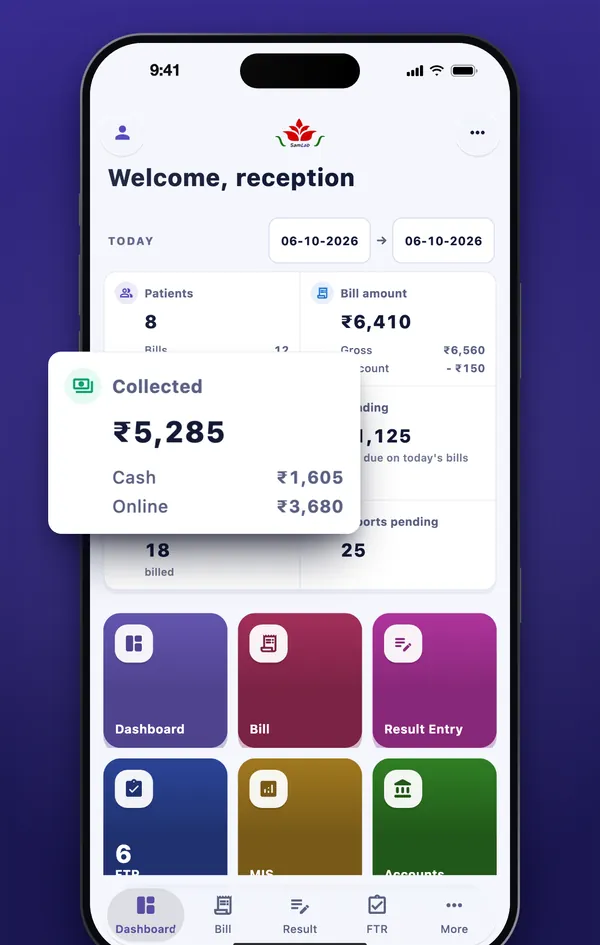
- Patients, bills and the amount billed, for today, any day or a range of dates
- Money collected, split into cash and online, and what is still due
- Tests billed and reports still pending
Billing
- Bill a patient for tests, panels and packages, at walk-in or B2B client rates
- Record the payment by cash, UPI or card
- Edit a saved bill: add or remove tests, then refund the difference or keep it as an advance
- Download or share the receipt as a PDF
Result entry
- Scan the barcode on a sample tube to open its bill
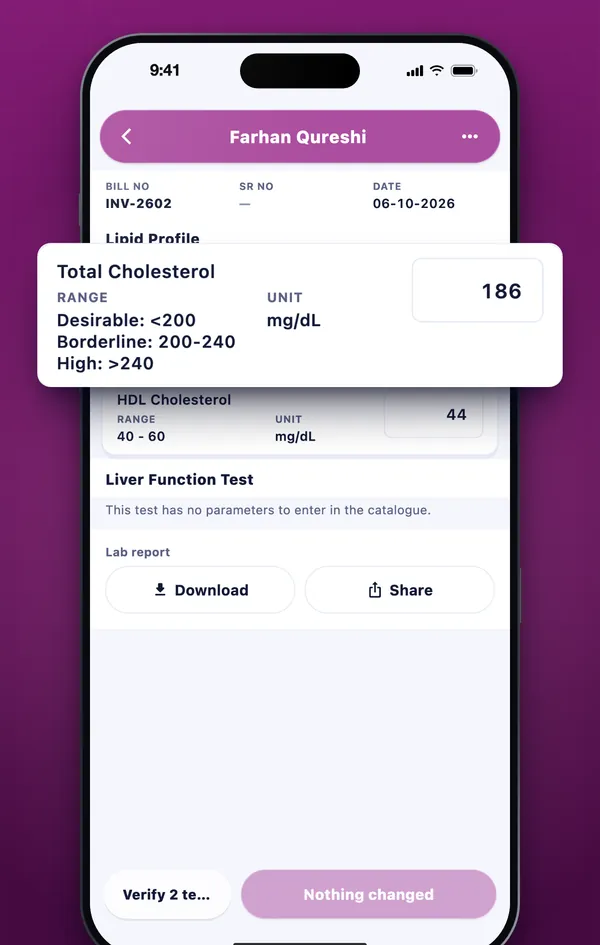
- Enter results parameter by parameter, with the unit and reference range beside each
- Text results such as “Nil seen”
- Verified results are locked
Lab reports
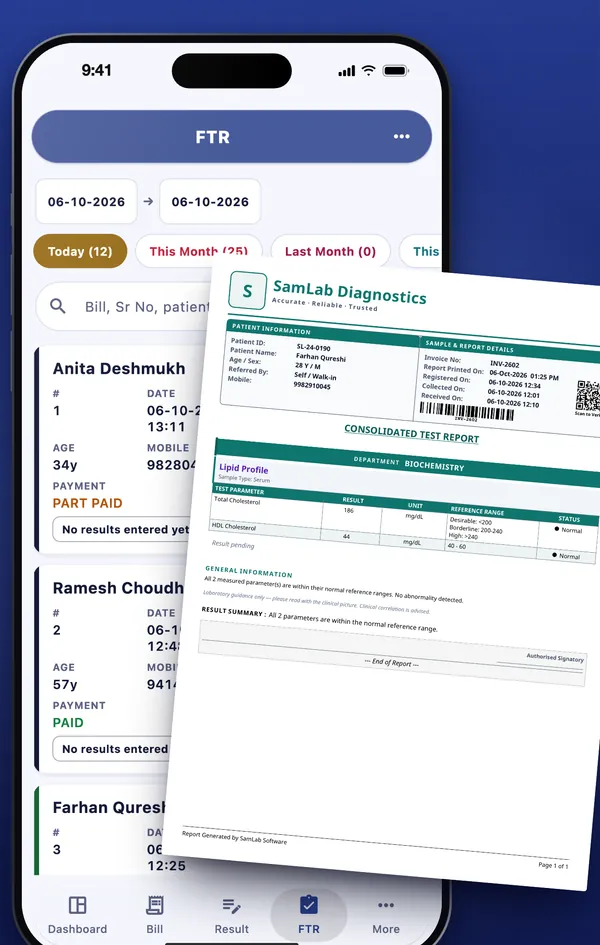
- Every bill’s report by date, coloured by how far it has got
- The lab report PDF laid out as your desktop prints it, on plain paper or your letterhead
- Download or share it, and see when it was printed or shared
Suppliers
- Supplier Master and mother labs
- Purchases, payments, opening balances and what is outstanding
- Each supplier’s ledger, and mother lab test prices
MIS & accounts
- The monthly MIS: bills, tests, billed, paid and still due
- Day Book, Cash Book, Bank Book, vouchers and ledgers
- The Bill Settlement Register
What it looks like
Screens from the app itself, on an iPhone, with demo data.
The day’s figures, for any day or range 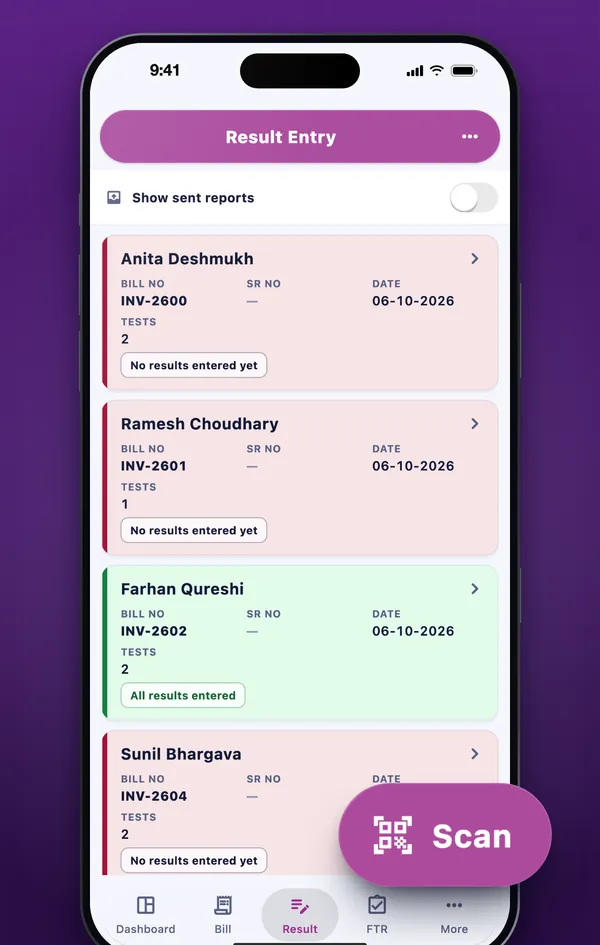
Scan a tube to find its bill Every result beside its range The lab report, as your desktop prints it 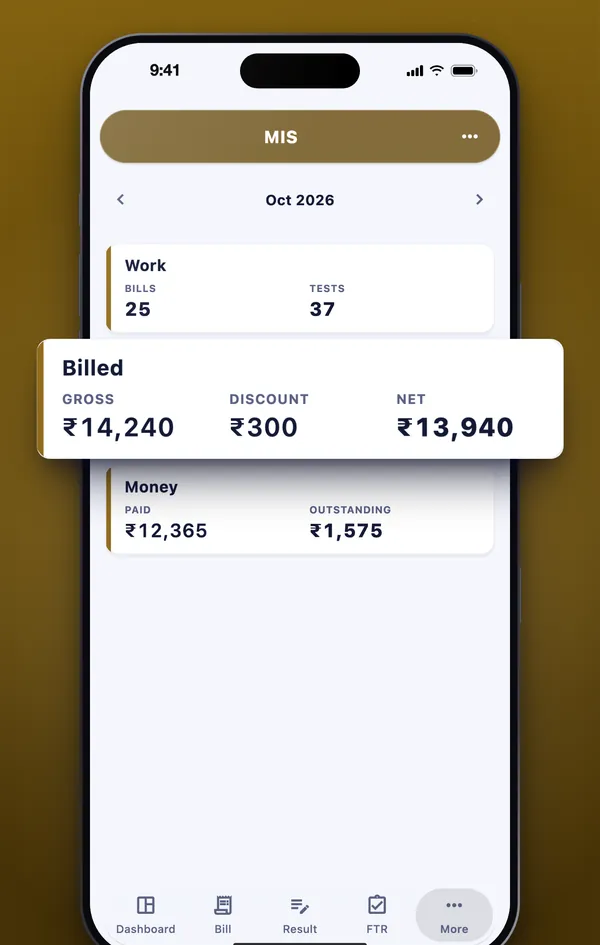
The month’s billing, summed up 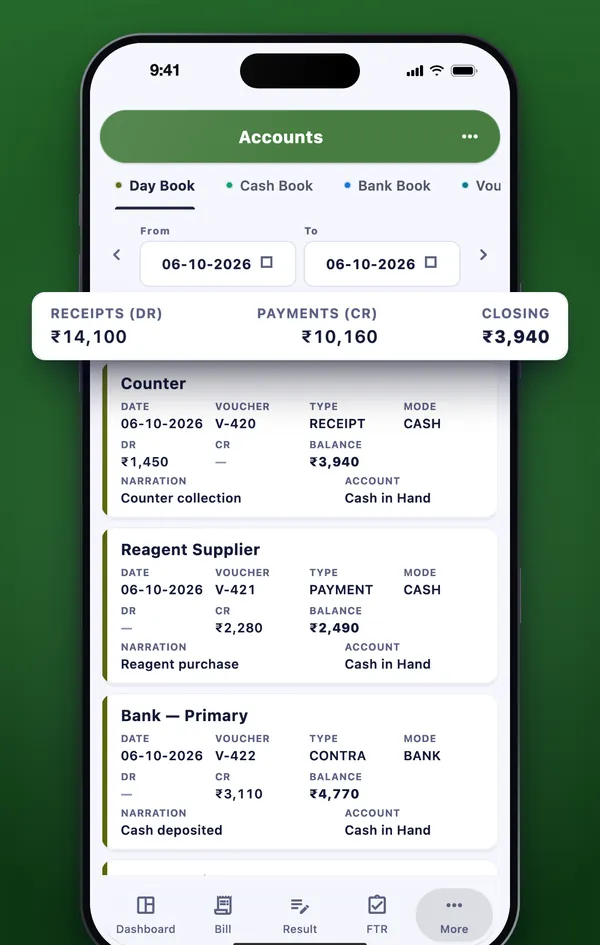
Your books, voucher by voucher
The people who run the lab
Each person signs in with the login the lab’s administrator gives them, and sees what their role allows.
Owners
The day’s patients, bills, money collected and what is still due — for today, any day or a range — from wherever you are.
The front desk
Bill a walk-in patient or a B2B client at their rates, take the payment and share the receipt.
Technicians and pathologists
Scan a sample tube, enter results beside their reference ranges, and see which reports are still pending.
The accounts desk
Suppliers and their payments, the month’s MIS, and the books from the Day Book to the ledgers.
It is not an app for patients: there is no patient sign-in, and there is no sign-up — every login is created by the laboratory.
Same records, in sync
The app is not a second system to keep up to date. It reads and saves the records your SamLab desktops use, through your lab’s synced data — so a bill made on a phone is at the front desk, and a result entered at the bench is on the owner’s phone.
That is why it needs SamLab Cloud, the cloud sync billed separately from the licence (see what SamLab Cloud costs), and why it comes as the Mobile app add-on (iPhone & Android) on Pro and Executive. Each phone, iPhone or Android, takes a place on the lab’s licence.
On a weak connection, screens you have already opened stay readable. Saving needs a connection, and the app says so when it has none.
Stays on the desktop
- Barcode printing
- Analyzer interfacing
- Masters other than suppliers
- Multi-branch roll-ups
- Trial Balance and Balance Sheet
- ABDM and scheme claims
The phone handles the day’s work; set-up, printing and the year’s accounts stay on Windows.
Your lab’s data, on a phone
What the app keeps on the phone, and what it never does.
- Role and branchEach person sees and changes only what their role and branch allow, and each lab’s records are kept apart from every other’s.
- Encrypted in transitEverything between the phone and your lab’s cloud data travels encrypted.
- Sign-in stays on the phone“Remember me” keeps the sign-in in the phone’s own secure storage, and signing out clears the screens kept for a weak connection.
- Face ID or fingerprintOptional, and only signs the same person back in. The phone handles it: biometric data never leaves the device, and SamLab never receives it.
- Camera for barcodes onlyIt reads a sample tube or a requisition slip. No photo is taken, stored or sent.
- No ads, no trackingNo advertising, no analytics or tracking SDKs, and nothing sold. The app’s error log stays on the phone unless you choose to share it.
The full detail is in clause 4 of our Privacy Policy, and how SamLab handles your data overall is on Security & your data.
Questions about the app
Can I download the SamLab mobile app today?+
Not yet. The iPhone app is being prepared for App Store review, and the Android app is in closed testing on Google Play. Each store badge becomes a download link the day that store lists the app.
How do I get the mobile app for my lab?+
It comes with the Mobile app add-on (iPhone & Android), sold on Pro and Executive. The add-on needs SamLab Cloud, because the app works on your lab’s synced data. Each phone, iPhone or Android, takes a place on the lab’s licence. Free to download — it works only for labs with SamLab Cloud and the Mobile app add-on.
Do I need SamLab on Windows to use the app?+
Yes. The app works alongside SamLab on Windows rather than replacing it: it reads and saves the same records your desktops use, through your lab’s synced data — which is why it needs SamLab Cloud as well as the mobile app add-on.
Can I use the mobile app during the free trial?+
No. The 7-day trial has no cloud sync, and the app works only on a lab’s synced data — so it needs SamLab Cloud and the Mobile app add-on (iPhone & Android), on a Pro or Executive licence.
Who can sign in?+
Staff of a laboratory that uses SamLab. There is no sign-up in the app: the lab’s administrator creates each login, and removes it. Each person sees and changes only what their role and branch allow.
Is it an app for patients?+
No. It is for the people who run a laboratory — the front desk, technicians, pathologists, the accounts desk and the owner. There is no patient sign-in.
What happens on a weak connection?+
Screens you have already opened stay readable. Saving needs a connection, and the app tells you when it has none rather than letting you think a change was saved.
What stays on the desktop?+
Barcode printing, analyzer interfacing, masters other than suppliers, multi-branch roll-ups, the Trial Balance and Balance Sheet and ABDM and scheme claims. The phone handles the day’s work; set-up, printing and the year’s accounts stay on Windows.
Does the app use the camera or Face ID?+
The camera is used only to read the barcode on a sample tube or a requisition slip — no photo is taken, stored or sent. Face ID or a fingerprint is optional and only signs the same person back in; the phone handles it, and SamLab never receives it.
Add the mobile app to your lab
The Mobile app add-on (iPhone & Android) is sold on Pro and Executive. Needs SamLab Cloud — the app works on your lab’s synced data. Each phone, iPhone or Android, takes a place on the lab’s licence.
Coming soon to the App Store and Google Play.
Free to download — it works only for labs with SamLab Cloud and the Mobile app add-on.
Apple and the Apple logo are trademarks of Apple Inc., registered in the U.S. and other countries. App Store is a service mark of Apple Inc. Google Play and the Google Play logo are trademarks of Google LLC.